
Plugins: how skills are managed
Writing a skill is half the decision. The other half is who gets it. A skill for testing one service belongs with that service's code. A skill for your team's release checklist belongs to the whole team. A preference about how you like PRs written belongs only to you. Plugins are how Devin manages that.
A plugin is a bundle of skills, plus optionally rules, hooks (commands that run automatically at points in a session), and MCP servers (connections to outside tools), installed and shared as a unit. Every skill and rule you add lives at one of four levels:
- Repository: files committed to the repo, like
.agents/skills/andAGENTS.md. They travel with the code and apply whenever Devin works in that repo. - Personal: just you, in every one of your sessions in the web app, the CLI, and Devin Desktop.
- Organization: everyone in your organization, regardless of which repo they're in.
- Enterprise: everyone in every organization of the enterprise, set centrally.
Rule of thumb: put a skill at the narrowest level that covers everyone who needs it. Repo-specific how-to goes in the repo. Cross-repo team practice goes at the organization level. Your own habits go in personal.
Everything outside the repository is managed on the Customize page, reached from the sidebar:
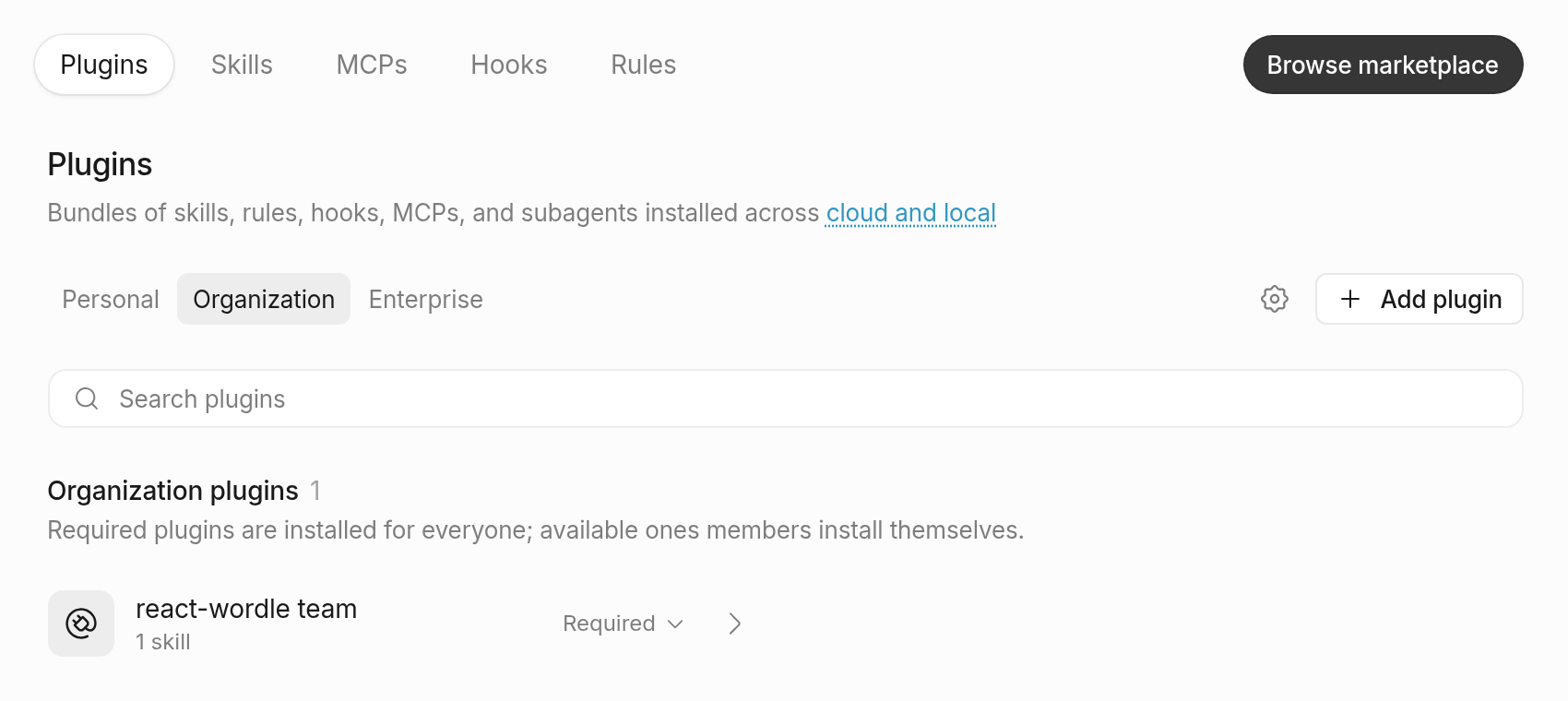
- The Plugins tab lists what's installed at each level and lets you add more: Browse marketplace for ready-made plugins like Linear, Notion, or Datadog, or Add plugin to install one from a Git repository, upload one, or create one in the editor.
- The Skills tab shows every skill Devin can load, from installed plugins and from your repositories.
- The Rules, MCPs, and Hooks tabs manage the other pieces.
- The Personal, Organization, and Enterprise tabs switch between levels. Anyone can manage their personal level; the organization and enterprise levels are available if you have access to those settings, and otherwise your admin manages them.
You don't have to visit Customize to start. In a cloud session, ask Devin to "save this as a personal skill" (or rule), and it proposes the change as a card you approve or deny. Approved changes apply to your future sessions. When a personal skill proves useful to the whole team, add it to an organization plugin (or ask your admin to) or commit it to the repo.