
Reading Session Insights
Session Insights is the feedback loop for everything in this course. It analyzes a completed session and tells you what happened, what it cost, and what to do differently. It's available for every completed session at no extra cost; open it from the Session Insights button in the session's top bar and generate the analysis if one doesn't exist yet.
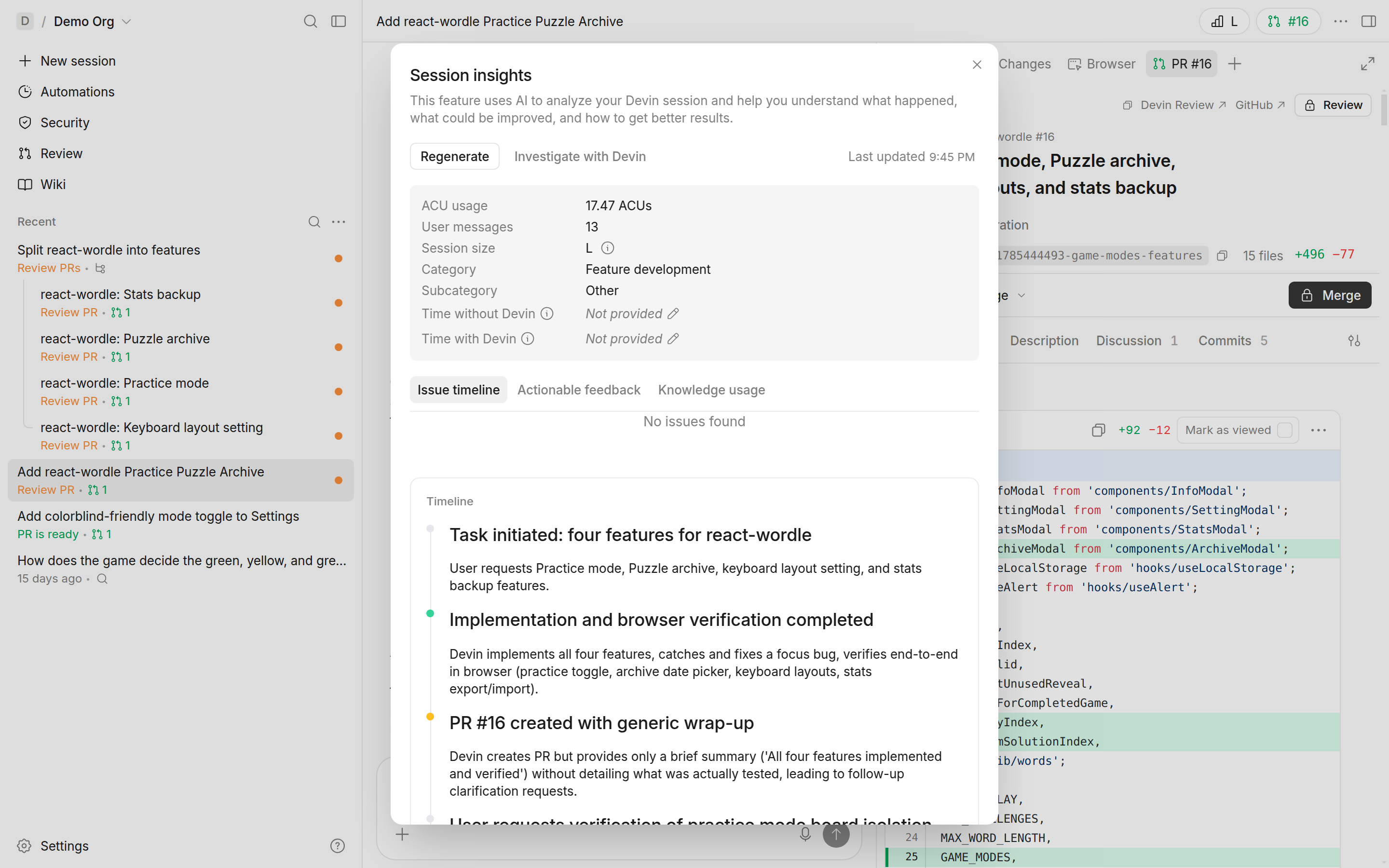
The four overview metrics
The top of the modal is a snapshot:
- ACU usage: how much Agent Compute Unit consumption the session took. Compare it against similar tasks; a spike usually means retries or dead ends.
- User messages: how many messages you sent. High counts mean Devin needed steering, which means the brief was thin.
- Session size: the XS–XL composite from the One task, one session lesson. L and XL are flagged as unhealthy.
- Category: what kind of task Devin thinks it did (feature development, bug fixing, and so on). If this doesn't match your intent, your prompt was ambiguous about the goal.
The three tabs
Issue Timeline lists the problems Devin hit, each with an impact rating, plus a chronological color-coded timeline of the session. Use it to find where the session bogged down: repeated issues of the same type mean Devin was stuck in a retry loop.
Actionable Feedback is the fix-it tab. It contains the Improved Prompt (more on that below) and Action Items: concrete machine or repo configuration changes that would have made the session smoother.
Knowledge Usage shows which knowledge items helped and which misled. This is the audit trail for the context layer you built in Cloud 102: useful knowledge confirms your investment, misleading knowledge tells you exactly what to update or delete.
The two patterns behind most expensive sessions
Almost every session you'd flinch at falls into one of two shapes:
High ACU usage, few messages: a scoping problem. Devin worked autonomously but burned compute on trial and error. The task was too large or too vague for one session. Fix: split it, strengthen the brief, and check Action Items for environment gaps that forced the retries.
Many messages, low ACU usage: drip-feeding. Devin barely computed but you steered it constantly, feeding requirements one correction at a time. Fix: write the full brief up front and walk away. Everything you said in message eight belonged in message one.
The Improved Prompt
For any analyzed session, Session Insights rewrites your original prompt with the missing context, constraints, and success criteria added, and explains each change. Click Start new session to launch a fresh session pre-filled with it. This is the kill-and-relaunch move from the One task, one session lesson with the better brief already written for you.
One habit ties this back to Cloud 102: when the same improved prompt keeps showing up for the same kind of task, that's a playbook telling you it wants to exist. Save it, and the next session starts from the good brief instead of earning it through insights.